
When looking for the CS2.exe file for Counter-Strike 2, knowing exactly where to look can save you time and frustration. Whether you want to change settings, troubleshoot problems, or simply satisfy your curiosity, let’s dive into the step-by-step process to find the location of CS2.exe.
Why You Need to Find CS2.exe
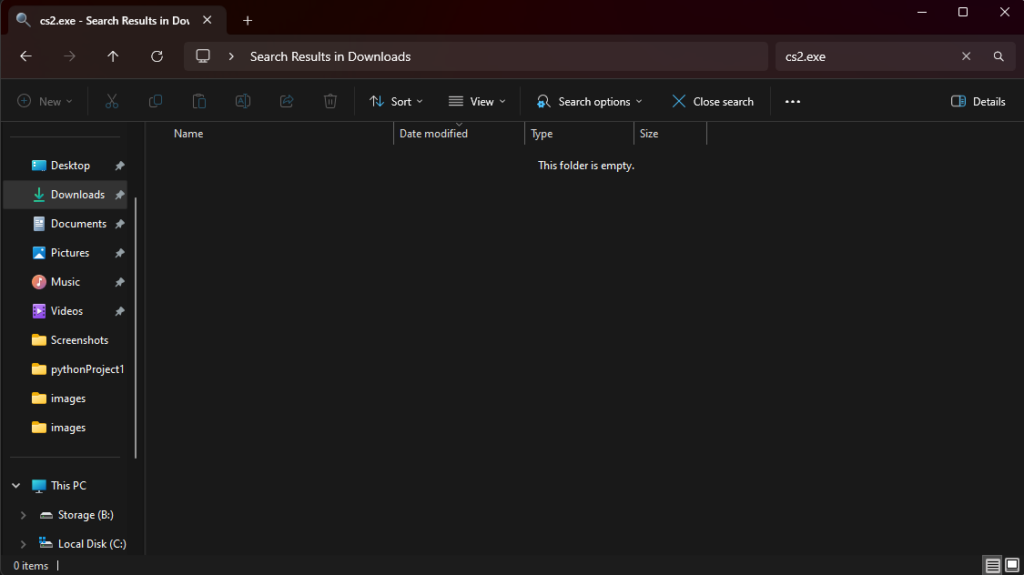
There are several reasons why finding CS2.exe is useful:
- Customization: Sometimes, custom settings or mods need to be applied directly at the executable level.
- Solution to problem: If you are experiencing startup problems, verifying the existence and integrity of the files may be the first step.
- Performance Changes: Advanced users may want to adjust things like CPU affinity or priority, which requires knowing the exact location of the file.
Also Check: Lowest CS2 Float Skin
Default Installation Path for CS2.exe
For most users, Counter-Strike 2 is installed in the default Steam directory. On Windows systems, usually:
C:\Program Files (x86)\Steam\steamapps\common\Counter-Strike Global Offensive\game\bin\win64\cs2.exe
This path is standard for Steam installations on Windows, so if you haven’t adjusted your settings, that’s where you’ll find CS2.exe.
But if you do, or if you just want an easy method, here’s another way to find it.
How to Find CS2.exe Via Steam
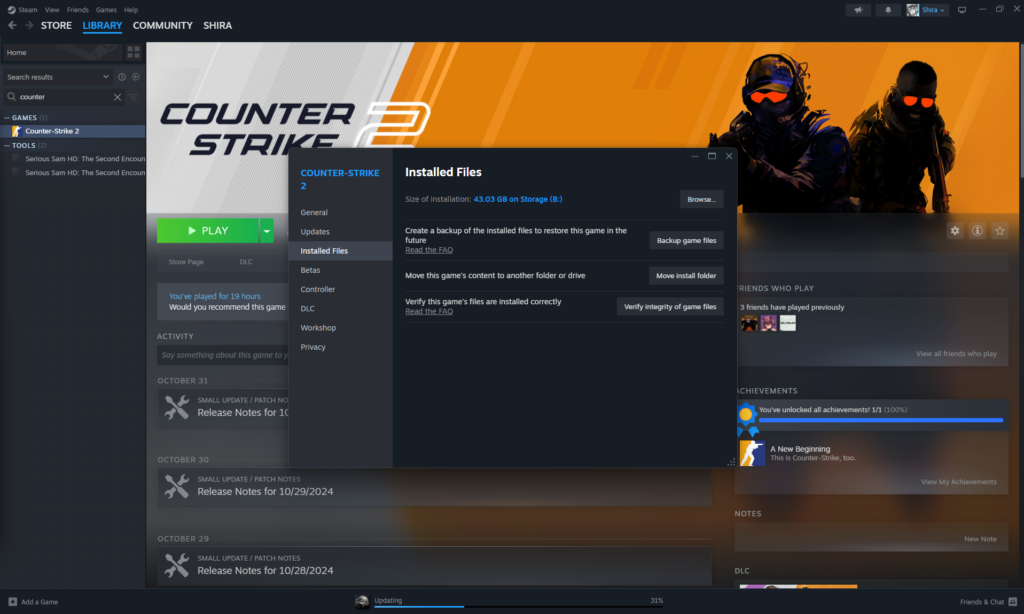
If you’re not sure where you installed Counter-Strike 2, Steam offers a quick way to determine the location:
- Open Steam: Start the Steam client.
- Go to the Library: Click on the ‘Library’ tab to see all your games.
- Right click Counter-Strike 2: Find the game, right-click, and select ‘Properties’.
- Browse Local Files: In the Properties menu, go to the ‘Installed Files’ tab and select ‘Browse’.
This will directly open the folder where Counter-Strike 2 is installed, and you will see the CS2.exe file in win64 subfolder. It’s that easy.
Also Check: Best Holo Stickers in CS2
Navigate Directly in File Explorer
If you prefer to navigate manually via File Explorer, follow these steps:
- Open File Explorer: Press
Win + Eto open File Explorer. - Open the Steam Directory: Normally, navigate to where Steam is installed
C:drive. - Follow the Path: Go to
Program Files (x86) > Steam > steamapps > common > Counter-Strike Global Offensive > game > bin > win64. - Find CS2.exe: In the
win64folder, you will see CS2.exe.
Handling Special Installation Locations
For anyone customizing their Steam installation path, the above method via Steam’s ‘Browse Local Files’ will work best.
This instantly opens your game folder, wherever the game is installed.
Also Check: All CS2 Rankings
Common Problems and Quick Fixes with CS2.exe
Sometimes you may encounter problems related to CS2.exe, such as the game failing to start or an error message pointing to the executable file. Here’s what you can do:
- Verify Game Files: Right-click Counter-Strike 2 in Steam, go to Properties > Local Files, and click ‘Verify Integrity of Game Files’. Steam will check for missing or damaged files and replace them.
- Check Antivirus: Some antivirus programs may incorrectly quarantine CS2.exe, so if it’s not there, check there. Adding an exception to the games folder usually solves this problem.
- Reinstall the Game: If all else fails, uninstalling and reinstalling Counter-Strike 2 will ensure you have a clean and complete setup.
Also Check: CS2 Economics Guide
Final Thoughts
Knowing exactly where to find CS2.exe can make life easier, especially if you troubleshoot, customize, or optimize. By following these steps, you’ll have no trouble finding it, and once you do, you’ll be ready to manage any customizations you need.
Frequently Asked Questions
CS2 executable, cs2.exeusually located at:C:\Program Files (x86)\Steam\steamapps\common\Counter-Strike Global Offensive\game\bin\win64\cs2.exe
To find the CS2 launcher, open Steam, navigate to your Library, right-click Counter-Strike 2, select ‘Properties’, go to the ‘Local Files’ tab, and click ‘Browse’. This will open the containing folder cs2.exe submit.
For Counter-Strike: Global Offensive (CS:GO), executable, csgo.exeusually found in:C:\Program Files (x86)\Steam\steamapps\common\Counter-Strike Global Offensive\csgo.exe
CS:GO game files are generally located at:C:\Program Files (x86)\Steam\steamapps\common\Counter-Strike Global Offensive\
If you have installed Steam or a game in a custom directory, adjust the path accordingly.